
Fix your Bass issues with the 3 steps below
Follow my 3 step guide with tips and videos for better bass in your sound system.
There is overwhelming amount of information out there and I found a couple of good videos that helped me a lot. I`m certain that those 2 videos can help 90% of you with bass problems out there.
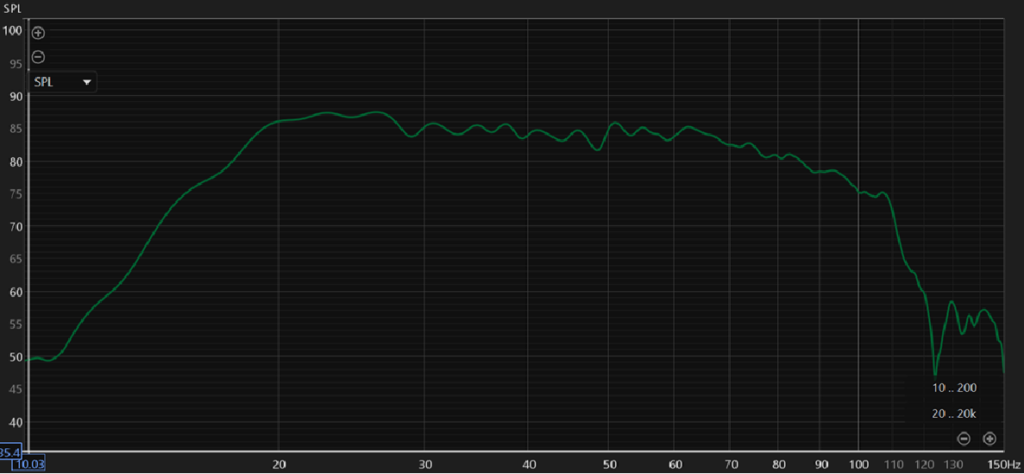
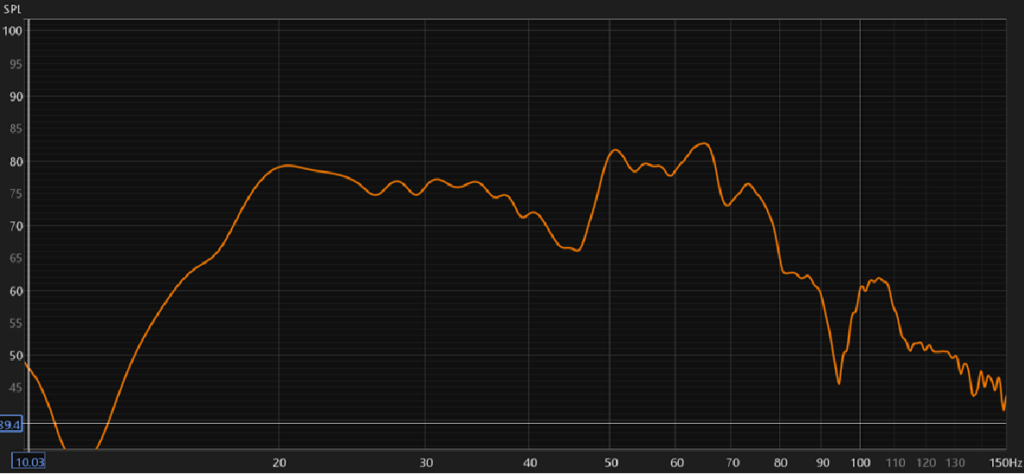
Your problem is most likely nulls and peaks and not ypur subwoofer type or size. If you don`t know what it is, you can read a short explanation about it here.
Let`s Get Started
Step 1
The most important is know your problem. To be able to meassure this you need to have 3 things, MiniDSP UMIK1 microphone, laptop to install REW software, and a cable to connect your laptop to your receiver/amplifire. (MiniDSP 2×4 HD only if you have multiple subwoofers)
Step 2
This step can save you for alot of heavy lifting and moving your subwoofer/s arround in your room.
Simulate Subwoofer placements in REW room simulator. If you are new to this Software you can click the link below for a userguide/short toturial.
If you want to skip the simulation part and are eager to start to collect data, skip to Step 3.
Step 3
Choose your setup below and follow the tips and video instructions.
Information and Tips
Subwoofer Placement tips
Placement tips for 1, 2, 3, and 4 subwoofers.
What is Boomy Bass?
Boomy bass refers to an uncontrolled, resonant, and excessive sound in the mid-bass frequencies (roughly 80–200 Hz)
Link to Tools and Software
MiniDSP UMIK-1
The UMIK-1 is an omni-directional USB measurement microphone providing Plug & Play acoustic measurement.
REW Software
Great free software that can simulate your room and visualize the peaks and drops and measure your system.
MiniDSP 2x4 HD
Fantastic tool for Subwoofer tuning. This tool gives your subwoofer a lot of optimalization capabilities.